Ecommerce for Beginners: A Simple Guide to Your First Store
Ecommerce for beginners: how online selling works, which model fits you, how much budget you need, the key terms and a short checklist before your first launch.
Do you want to sell online but don’t know where to start? This guide to ecommerce for beginners explains the basics in plain language: how an online sale happens, which model fits your budget, which words you’ll hear every day and what to prepare before opening your first store. The goal is to start with the right decisions instead of learning from your losses.
What is ecommerce?
Ecommerce means buying and selling products or services over the internet. The seller lists a product in an online store or on a platform, the customer orders it from a phone at any time, pays online or in cash on delivery, and receives the order through a delivery company. It covers independent stores, social media selling, large marketplaces and digital products that are downloaded instantly without shipping.
The big difference from a traditional shop: your store is open 24 hours a day, your audience is the whole country rather than your neighborhood, and the starting cost is far lower, with no rent, decoration or staff in the first days.
How does ecommerce for beginners work, step by step?
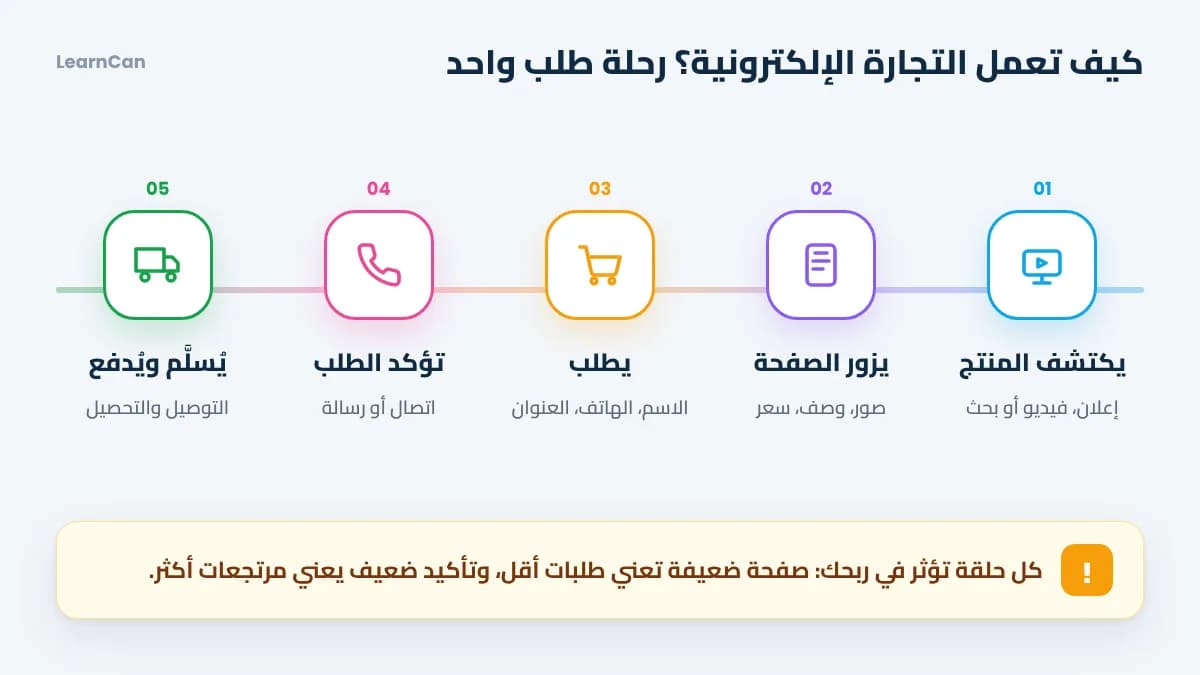
To understand the business, follow one order from start to finish. Every link in this chain can make you money or lose it:
- The customer discovers the product: through an ad, a TikTok video or a Google search.
- They visit the product page: photos, description and price either convince them or send them away.
- They order: they leave their name, phone and address, or pay by card.
- You confirm the order: a call or a message to avoid fake orders.
- The order is delivered and paid: the courier hands over the product, collects the money and transfers it to you.
Ecommerce models: which one suits a beginner?
The model decides how much capital you need and how much risk you take. This comparison helps you choose:
Model | Capital | Risk | Best for |
|---|---|---|---|
Own stock | Medium to high | High | Those who know their product and supplier well |
Dropshipping | Low | Medium | Testing without buying inventory |
Digital products | Very low | Low | People with a skill or expertise to teach |
Print on demand | Low | Low | Designers and creative people |
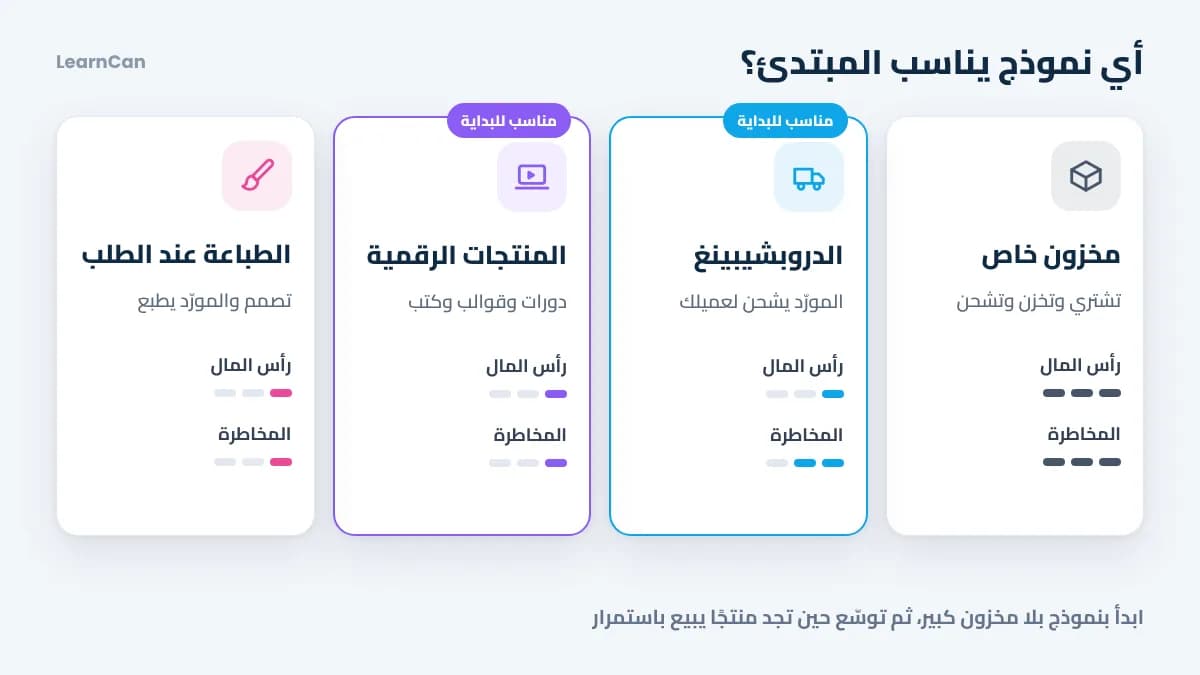
Our advice: start with a model that doesn’t force you to buy a lot of stock, such as dropshipping or digital products, then move to your own stock once you’ve found a product that sells consistently.
What do you need to get started?
One product and a clear audience
Don’t open a store that sells everything. Start with one product that solves a problem for a well-defined group of people. If you’re unsure, check our list of profitable ecommerce products with the criteria of a winning product, and see how interest is trending on Google Trends.
A simple online store
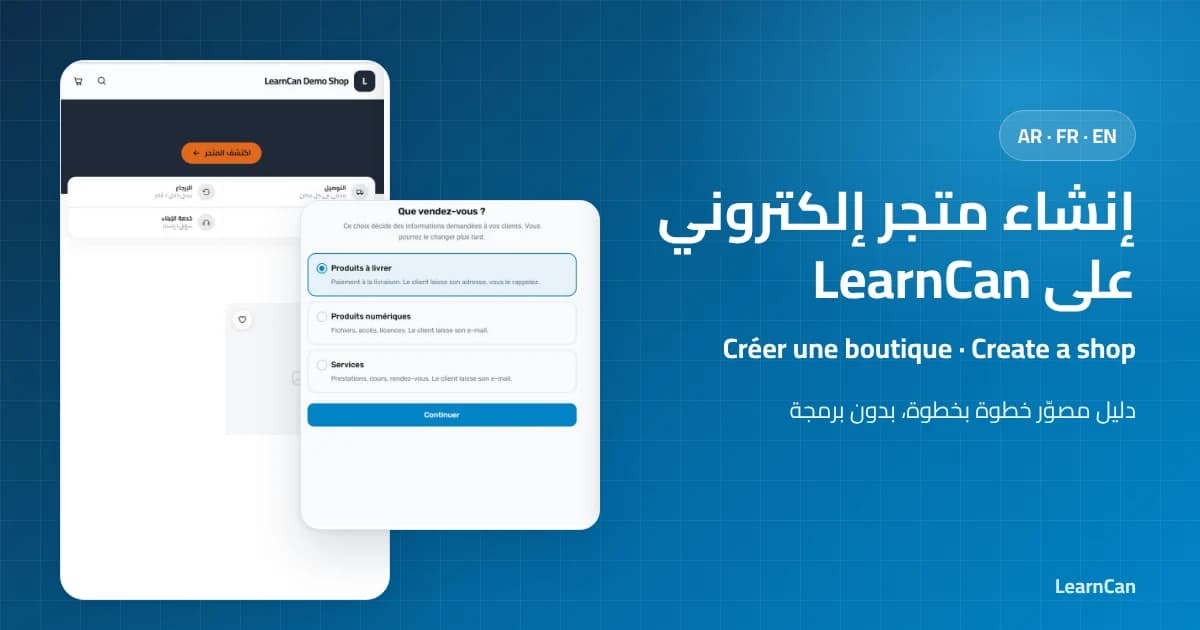
You don’t need a developer or an expensive website: a clear product page and an order button are enough. Follow the guide to create an online store on LearnCan and open yours for free in minutes, then read how to build a free online store with AI to write your descriptions faster.
A payment and delivery method
In many countries, cash on delivery is still the most trusted option for new customers. Choose a courier that covers your target cities and ask how long they take to transfer the money and what returns cost.
A marketing budget
A store without visitors is a shop in the desert. Advertising is the biggest expense at the start, so plan it before anything else, and study your competitors’ ads for free in the Meta Ad Library before designing your own.
How much budget do you need to start ecommerce?
There is no single figure for everyone, but how you split the money matters more than the amount. Here is a sensible split for a starting budget:
- 50% for test ads: to find out whether the product really sells.
- 20% for samples and first stock: to try the product yourself and photograph it.
- 15% for content: photos and short videos that convince customers.
- 15% reserve: for returns and unexpected costs.
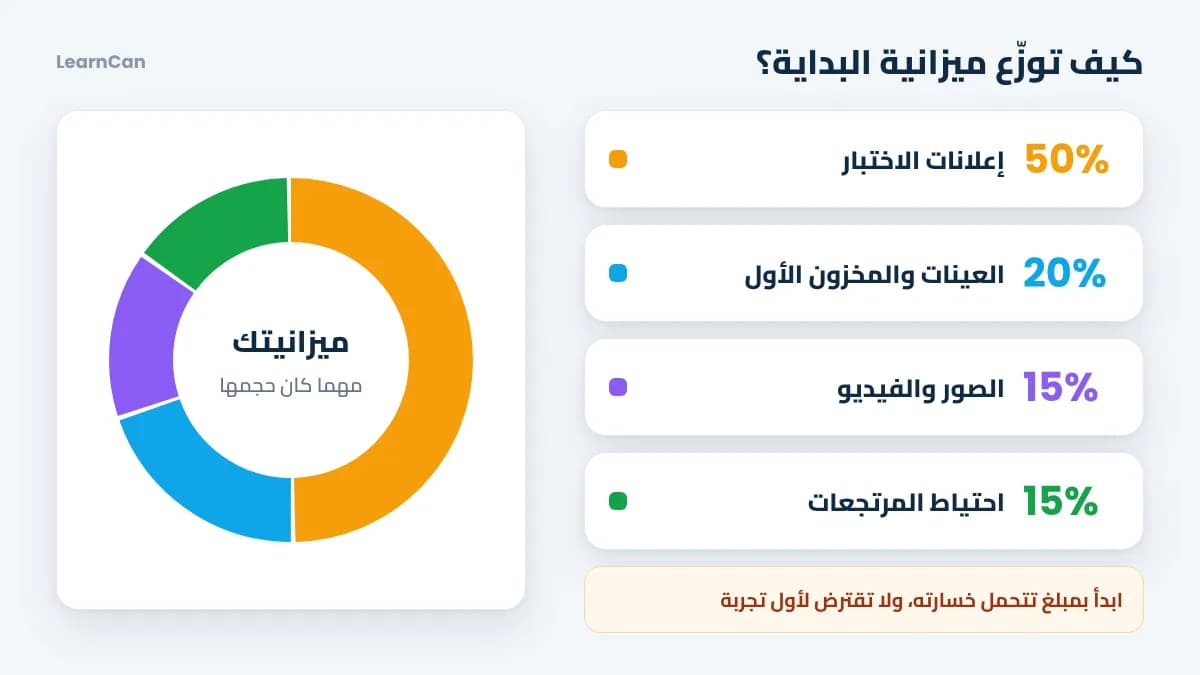
The golden rule: start with money you can afford to lose, and never borrow to fund your first test. Your first test is a paid lesson, so keep its price low.
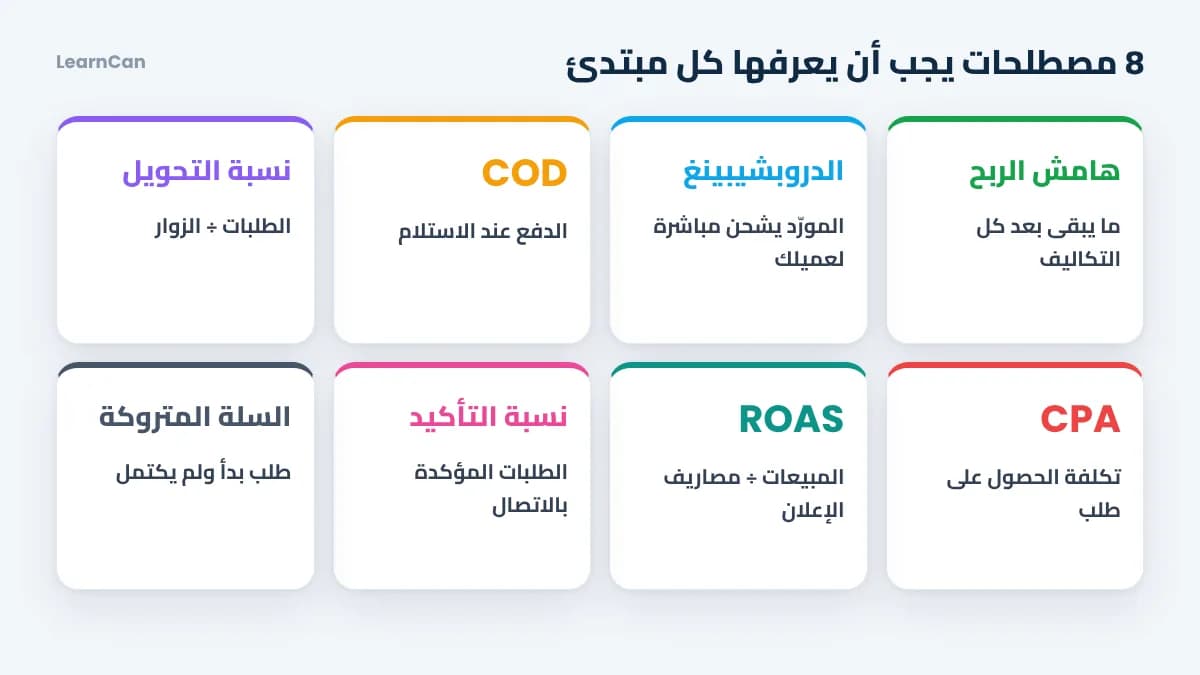
8 key terms every beginner should know
You’ll hear these words in every video and course about selling online. Understand them once and save yourself a lot of confusion:
- Margin: what’s left of the selling price after all costs.
- Dropshipping: the supplier ships the product directly to your customer, without you storing it.
- Cash on delivery (COD): the customer pays the courier when receiving the order.
- Conversion rate: orders divided by visitors; it measures how strong your product page is.
- Cost per order (CPA): what you spend on ads to get one order.
- ROAS: sales divided by ad spend.
- Confirmation rate: the share of orders customers confirm when you contact them.
- Abandoned cart: a visitor who started an order without finishing it; a chance to win them back.
Ecommerce pros and cons, honestly
The pros: little starting capital, freedom of time and place, customers across the whole country, and room to scale once you find a product that works.
The cons: strong competition, ad costs that keep rising, orders refused on delivery and the need to keep learning. Those who know these challenges in advance prepare for them; those who ignore them get caught out.
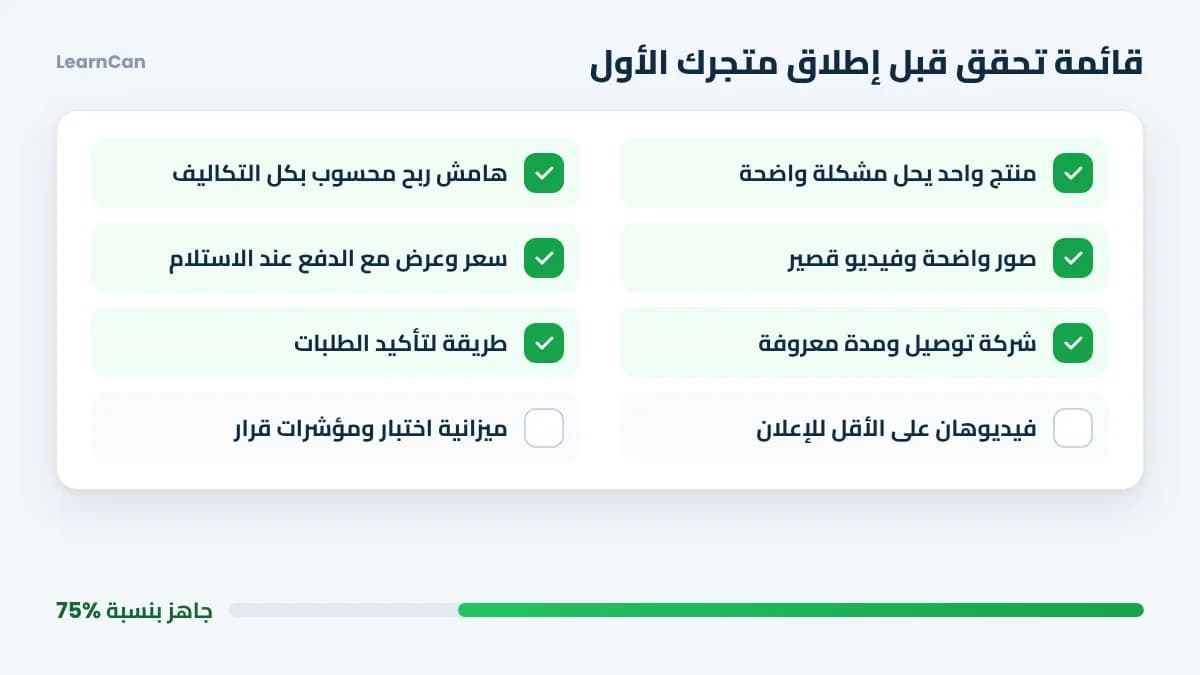
Checklist before launching your first store
Before you spend your first dollar on ads, make sure you’ve covered these points:
- You chose one product that solves a clear problem.
- You calculated your margin after shipping, ads and returns.
- The product page has clear photos, a short video and written benefits.
- The price and offer are clear, with cash on delivery available.
- Your courier is ready and the delivery time is known.
- You have a way to confirm orders by phone or message.
- You prepared at least two ad videos.
- You set a test budget and decision metrics in advance.
Checklist done? Time to act: follow the plan to learn e-commerce from scratch, which details the seven stages with a free PDF guide and a thirty-day action plan.
Mistakes beginners make
- Starting with dozens of products: your budget gets spread thin and you never learn what actually sells.
- Skipping the profit calculation: many sell a lot and lose money without realizing it.
- Copying a competitor’s store: offer a guarantee, a gift or better service to stand out.
- Quitting after the first failure: most successful sellers tested several products before finding the winner.
- Neglecting customer service: fast replies increase confirmations and build your reputation.
FAQ: ecommerce for beginners
Can I start ecommerce with no money?
You can start at almost no cost by selling digital products or relying on free content on TikTok and Instagram, but paid advertising needs a budget, even a small one.
Which platform is best for a beginner’s store?
Pick a simple platform that supports cash on delivery, your language and your currency. On LearnCan you can create your store for free after you sign up for LearnCan, then add your products, photos, colors and sizes easily.
How long until my first sales?
With a good product, a clear page and a well-planned ad, the first orders can come within the first days. A stable profit usually takes several months of testing and improving, so don’t trust anyone who promises riches in a week.
Do I need a registered business?
Rules differ from country to country, and many offer simplified schemes for freelancers and small businesses. Check with the relevant authority in your country before your activity grows.
Conclusion
Ecommerce for beginners is no secret: understand how an order flows, choose a model that fits your budget, learn the basic terms and go through the checklist before launch. Start small, measure everything, and keep learning with free online courses on LearnCan and our latest articles.